
Received PST files on a Mac system from a Windows user and not sure of any appropriate approach to open it on Mac operating system? Wondering how can I open a PST file on Mac without losing data integrity? Looking for a hassle-free solution to implement the process safely? Then not to worry anymore, just follow the write-up and you will find a method that will help users opening a PST file on Mac with emails, contacts, calendars, and more.
PST is compatible with Windows Outlook that is highly popular as personal information manager among professionals. The format stands for Personal Storage Table as it stores the entire data items of users email account such as emails, notes, journal entries, tasks, contacts, etc. However, it is a Windows supported format, therefore Mac users encounter difficulties whenever they receive PST files on their system.
As a result, in the next segment we have discussed a methodology that will safely open a PST file on a Mac by converting it into suitable option. So, without more ado, let’s explore the process in detail.
How can I Open a PST File on Mac?
The easy and effective way to open a PST file on Mac is by utilizing MacMister PST Converter for Mac application. With the help of the application, users can open a PST file on Mac by converting PST to OLM, MBOX, EML, HTML, DOC, IMAP, Gmail, Yahoo, Office 365, and more. The software is designed with dual buttons such as Add File(s)/Add Folder which help users adding necessary .pst files on the tool for conversion. It possesses an intuitive interface as well with the help of users can operate the task effortlessly.
Furthermore, the software is programmed with wide ranging features with the help of users can perform the process as per their requirements. Also, it is advised to download the free demo edition of the tool to know the software process in detail.
Step-by-Step Tutorial to Open a PST File on Mac using Mac PST Converter Tool
Step 1. Download and operate MacMister PST Converter application on a Mac machine.
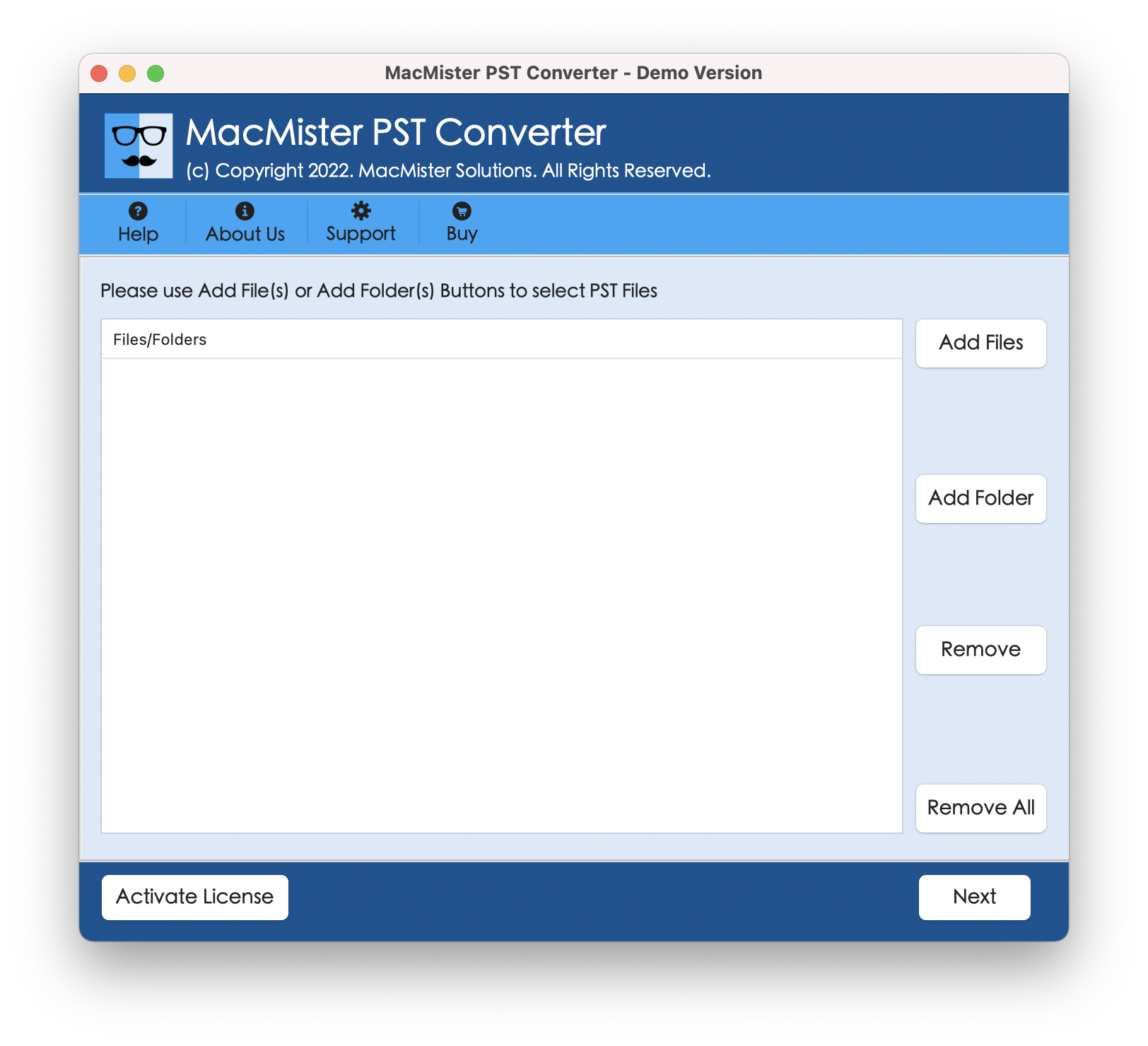
Step 2. Use Add File(s)/Add Folder dual buttons to add PST files on the software. By clicking Add File(s) button, one can add important .pst files on the application and the Add Folder button help users adding a folder carrying unlimited .pst files on the tool to execute batch conversion at once. Click Next to proceed.
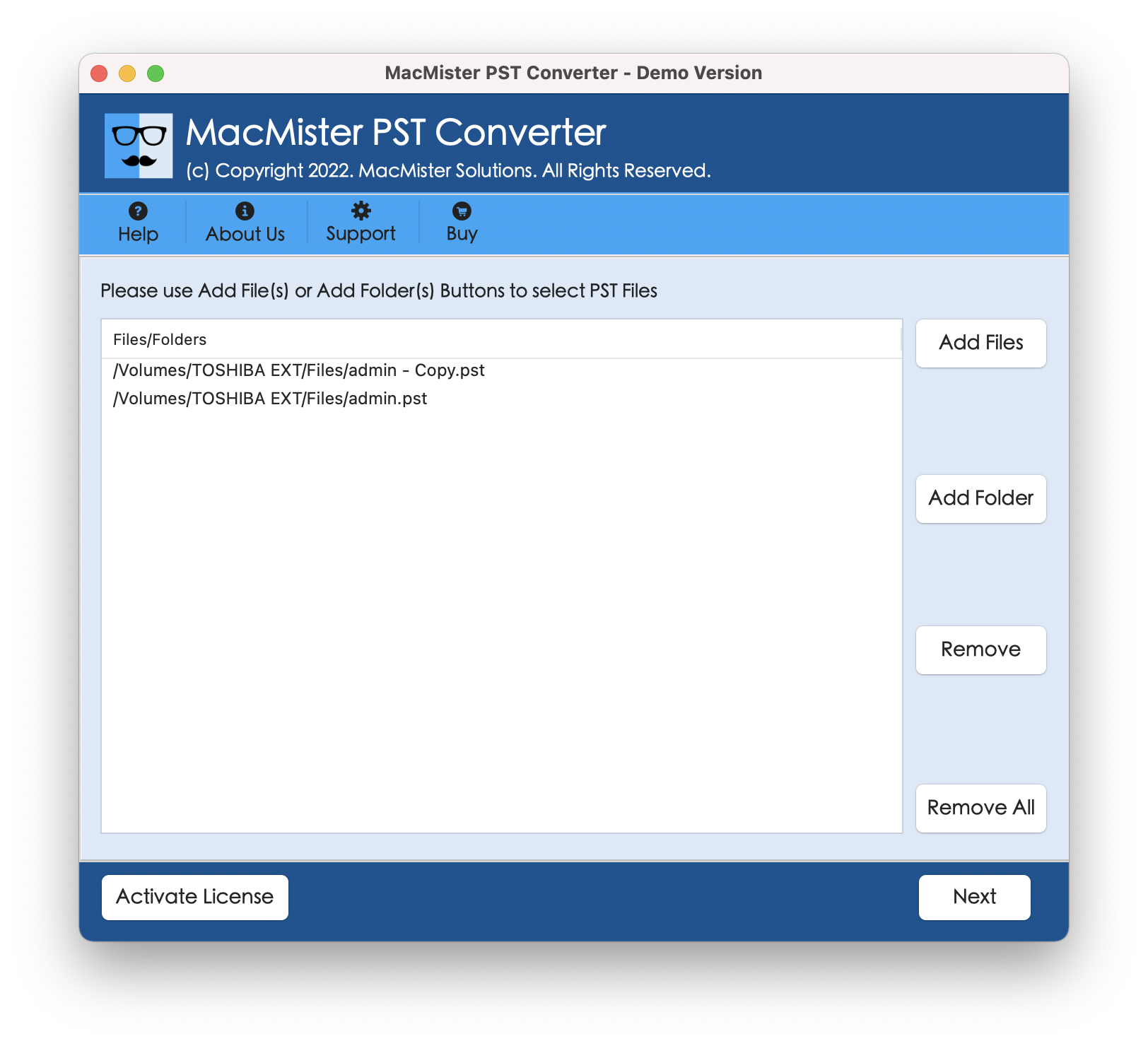
Step 3. Now, the tool starts showing the files on the panel. Each will be listed with a checkbox that users can use as per their requirements to perform selected files conversion, if needed. Click Next to proceed.
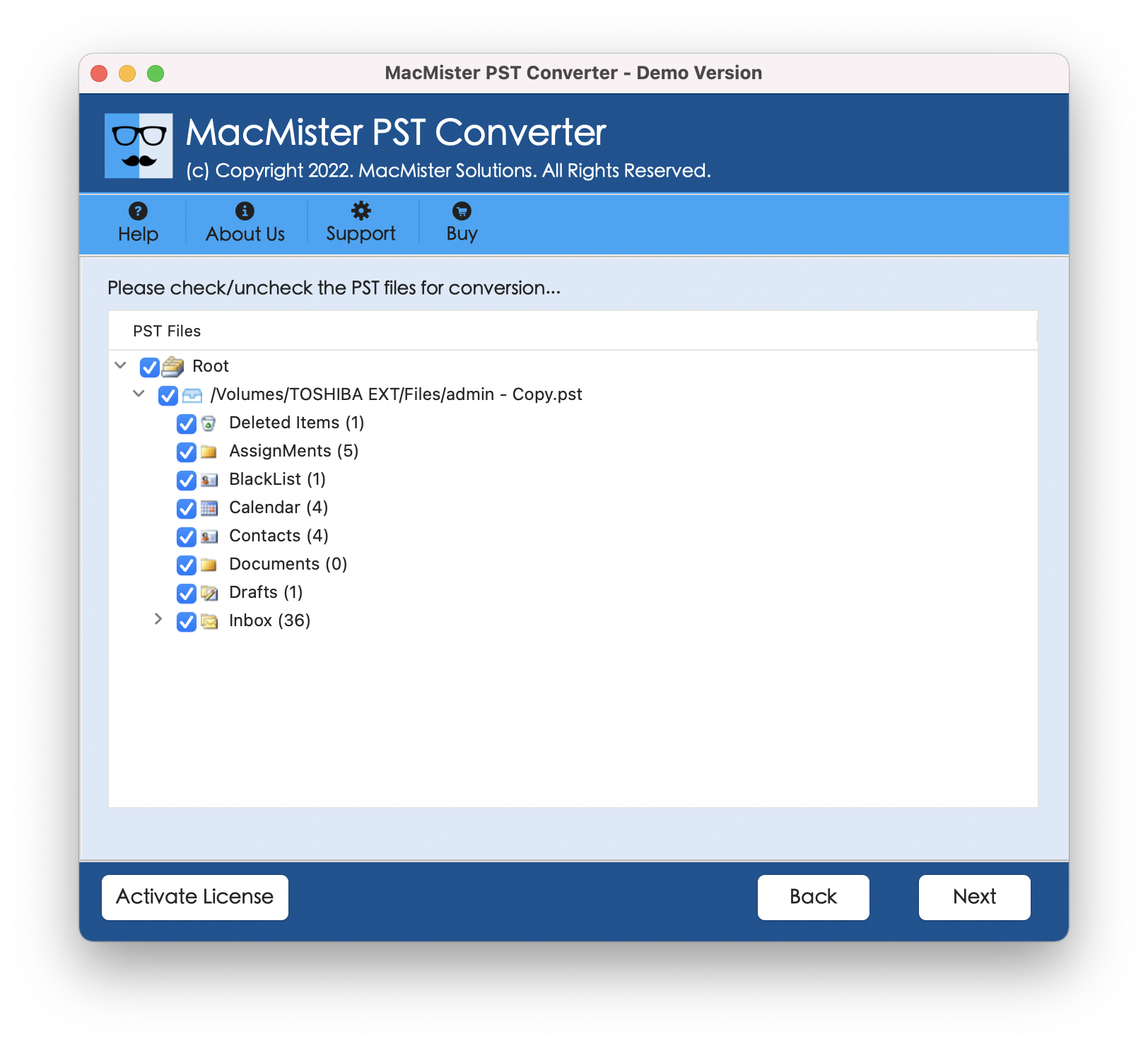
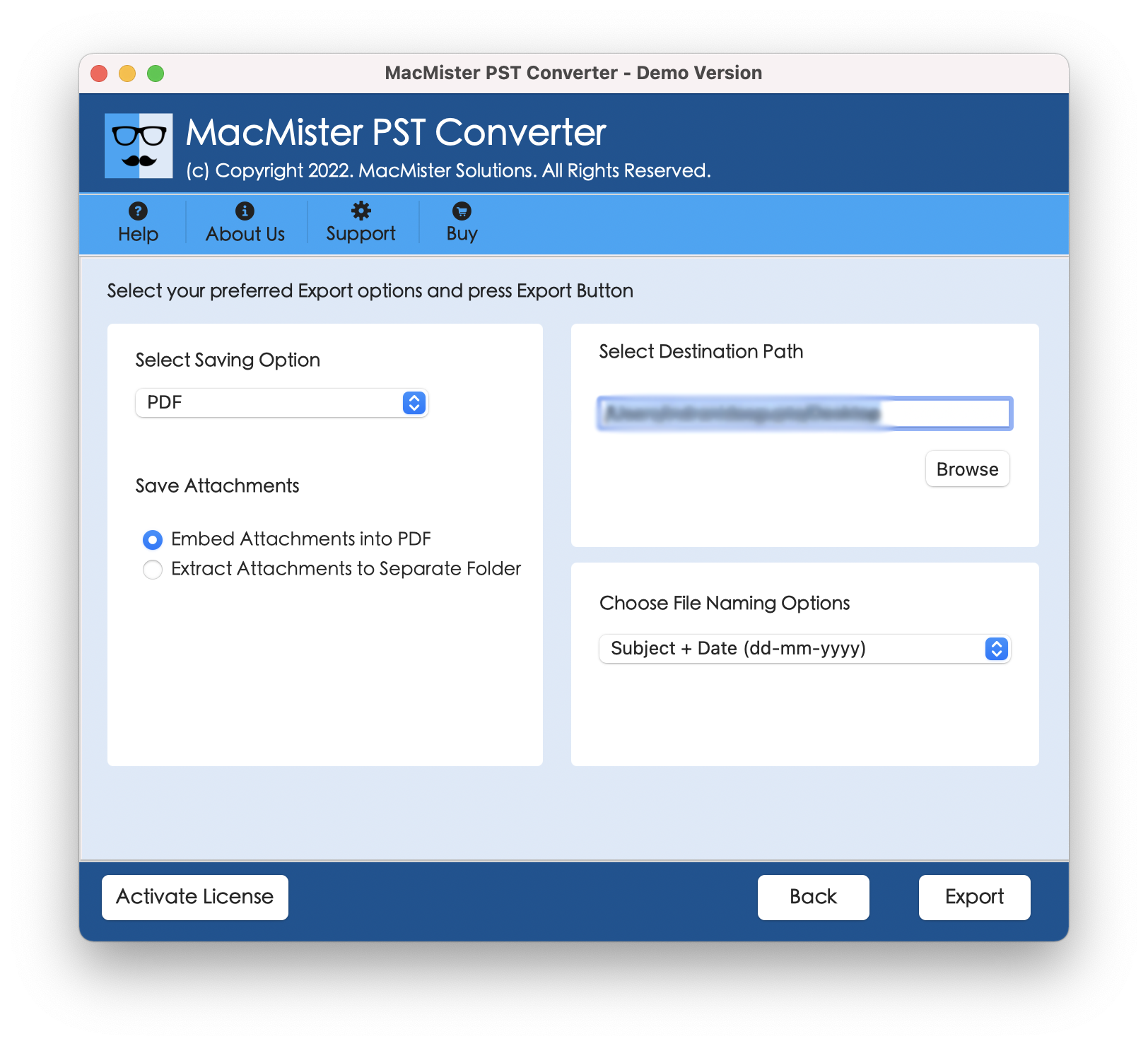
Step 4. Go to Select Saving Options and select the desired saving type from the list.
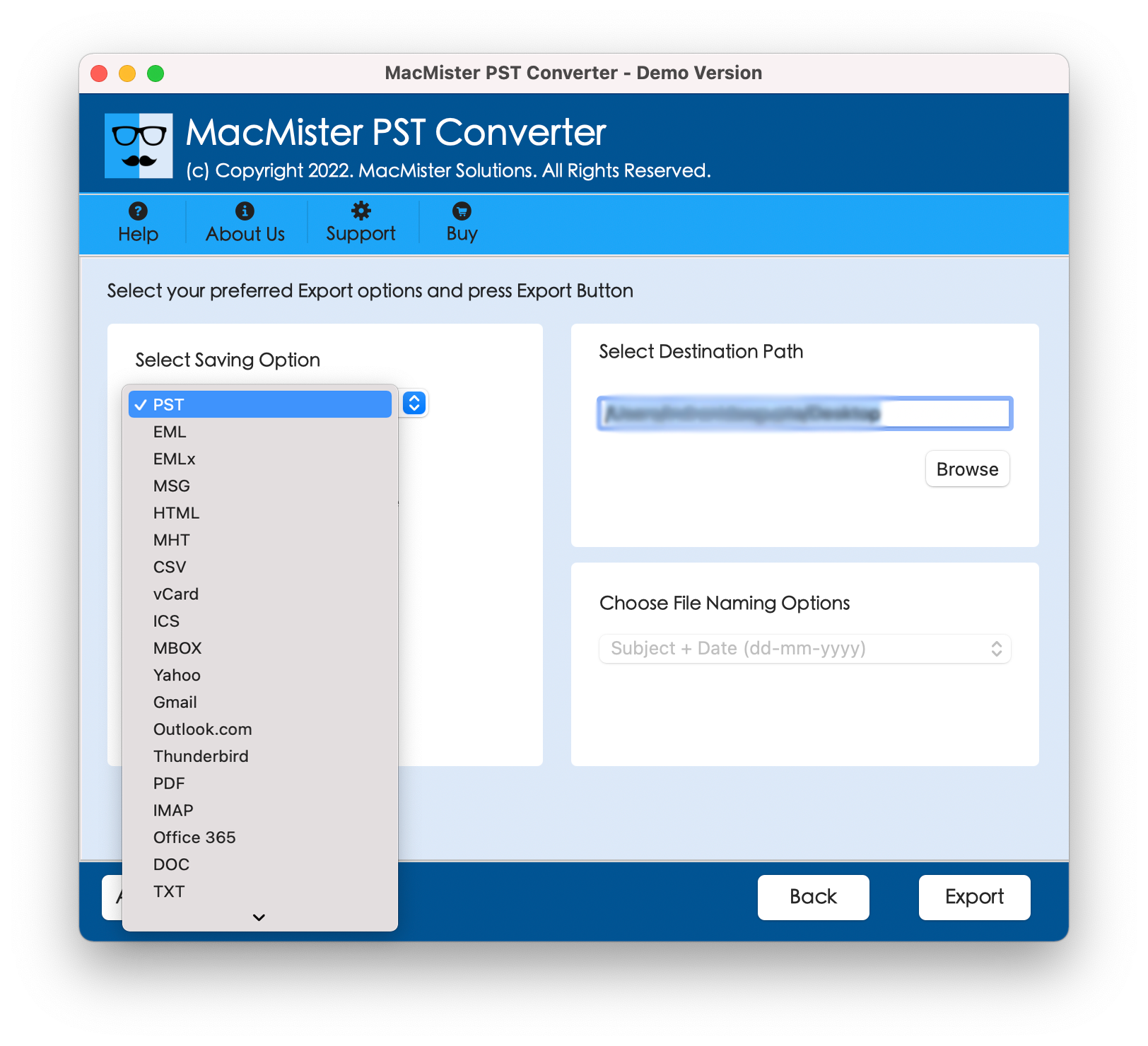
Step 5. Set sub-options of a selected saving type according to the requirements and click Export.
Step 6. The Live Conversion Report screen will be generated by the application that displays the live conversion details of PST files to users.
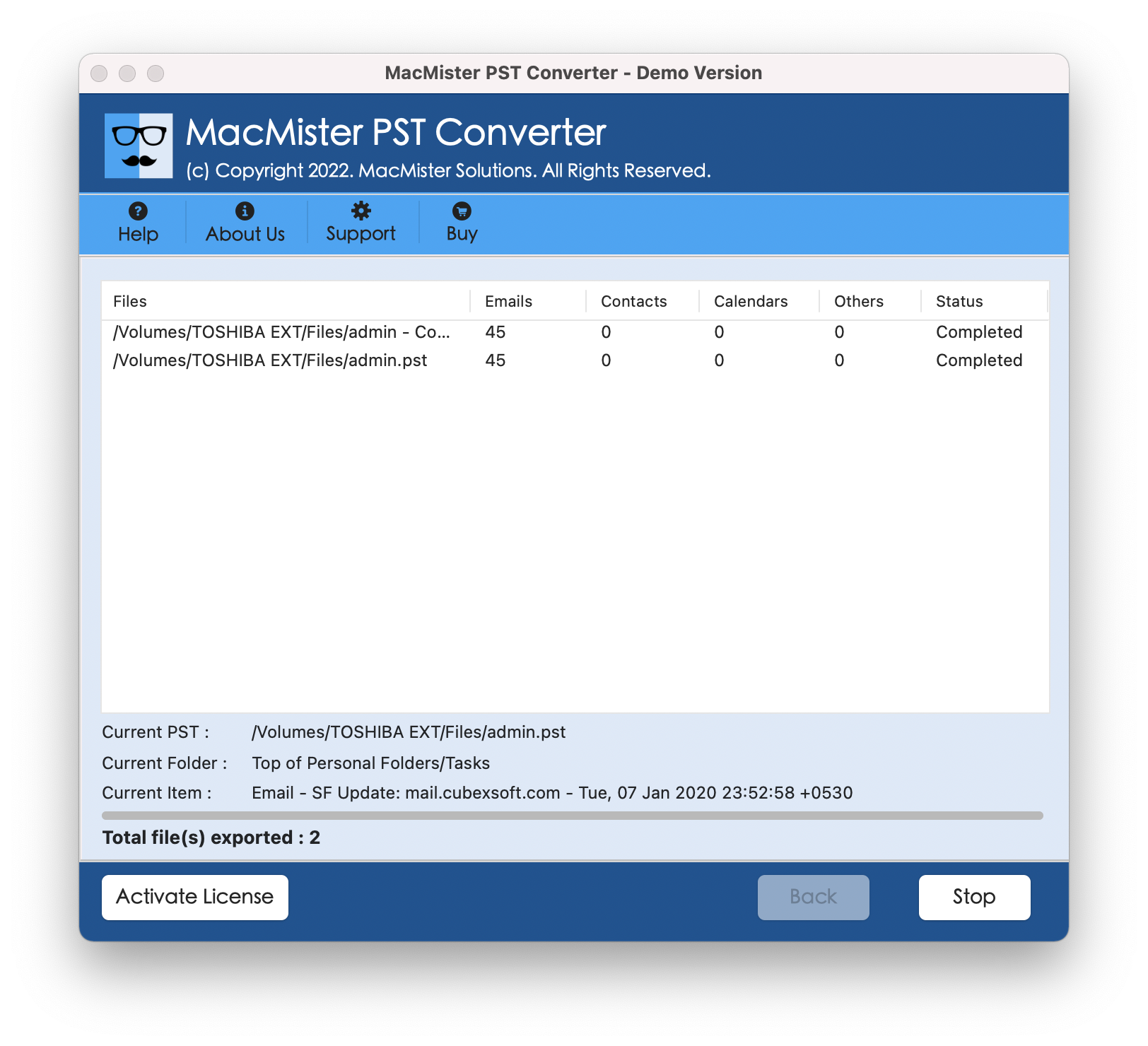
Within seconds, all PST files will be converted successfully. Click OK and then go to the specified destination path to view resultant files. After viewing them, you will see that they are accurate. The content and metadata properties are precise.
Why MacMister PST Converter is a beneficial tool?
MacMister PST Converter is highly beneficial due to following reasons –
- Quickly batch convert PST files on Mac at once.
- Carries out conversion with precise emails and other data items.
- The content, email structure, and metadata properties remain preserved.
- Supports over 15 saving types to convert PST files.
- Displays Live Conversion Report to track ongoing conversion status.
- Intuitive and easy GUI will simplify the conversion for all users.
- Handles large size .pst files with ease.
- Maintains PST file folder structure during the process.
- Allow users to convert .pst files on Mac OS Sequoia and earlier versions.
Conclusion
In the blog, we have provided an easy and powerful way to resolve how can I open a PST file on a Mac. MacMister Mac PST Converter Tool is a simple technique that carries out the task really well within seconds. The application is reliable, effective, and advanced. It possesses an environment which is easily manageable by all technical and novice users. And the best part is it has over 15 saving options to open PST file such as EML, HTML, DOC, CSV, PDF, Gmail, Office 365, Yahoo, and more. To test the process in detail, download freeware version and convert 25 PST files free of cost.





